Showing posts with label Python. Show all posts

Tuesday, 21 July 2015

Concept of classes in python !

In all our python programs till now, we have designed our program around functions or blocks of statements which manipulate data. This is called the procedure-oriented way of programming. There is another way of organizing your program which is to combine data and functionality and wrap it inside what is calledan object. This is called the object oriented  programming paradigm.

Before move to advance, let's Overview of OOP Terminology :
 Class: A user-defined prototype for an object that defines a set of attributes that characterize any object of the class. The attributes are data members (class variables and instance variables) and methods, accessed via dot notation.
 

Class variable: A variable that is shared by all instances of a class. Class variables are defined within a class but outside any of the class's methods. Class variables aren't used as frequently as instance variables are.
 

Data member: A class variable or instance variable that holds data associated with a class and its objects.
 

Function overloading: The assignment of more than one behavior to a particular function. The operation performed varies by the types of objects (arguments) involved.
 

Instance variable: A variable that is defined inside a method and belongs only to the current instance of a class.
 

Inheritance : The transfer of the characteristics of a class to other classes that are derived from it.

Instance: An individual object of a certain class. An object obj that belongs to a class Circle, for example, is an instance of the class Circle.
 

Instantiation : The creation of an instance of a class.
 

Method : A special kind of function that is defined in a class definition.
 

Object : A unique instance of a data structure that's defined by its class. An object comprises both data members (class variables and instance variables) and methods.

Operator overloading: The assignment of more than one function to a particular operator.

Python is fully object-oriented: you can define your own classes, inherit from your own or built in classes, and instantiate the classes you've defined.The self Class methods have only one specific difference from ordinary functions - they must have an extra first name that has to be added to the beginning of the parameter list, but you do do not give a value for this parameter when you call the method, Python will provide it. This particular variable refers to the object itself, and by convention, it is given the name self.Although, you can give any name for this parameter, it is strongly recommended that you use the name self - any other name is definitely frowned upon.

Creating a Class :
class Person:
pass # An empty block


We create a new class using the class statement followed by the name of the class. This follows an indented block of statements which form the body of the class. In this case, we have an empty block which is indicated using the pass statement.

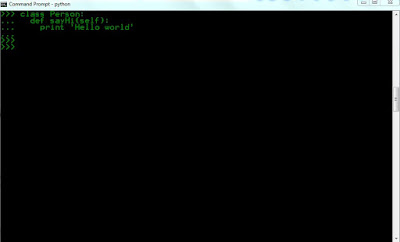
Using Object Methds :
class Person:
    def sayHi(self):
        print 'Hello world'


The __init__ method :
The method is useful to do any initialization you want to do with your object. Note that The __init__() method can accept parameters, but does not return anything. It sets the internal state of the object.

class Person:
    def __init__(self, name):
        self.name = name
    def sayHi(self):
        print 'Hello, my name is', self.name


we define the __init__ method as taking a parameter name (along with the usual self). Here,we just create a new field also called name. Notice these are two different variables even though they have the same name. The dotted notation allows us to differentiate between them.
Most importantly, notice that we do not explicitly call the __init__ method but pass the arguments in the parentheses following the class name when creating a new instance of the class. This is the special significance of this method.

Built-In Class Attributes:

Every Python class keeps following built-in attributes and they can be accessed using dot operator like any other attribute:

    __dict__ : Dictionary containing the class's namespace.

    __doc__ : Class documentation string or None if undefined.

    __name__: Class name.

    __module__: Module name in which the class is defined. This attribute is "__main__" in interactive mode.

    __bases__ : A possibly empty tuple containing the base classes, in the order of their occurrence in the base class list.

Concept of function in python !

In Python, functions provide organized blocks of reusable code. Typically, this allows a programmer to write a block of code to perform a single, related action. Functions are reusable pieces of programs. They allow you to give a name to a block of statements and you can run that block using that name anywhere in your program and any number of times. This is known as calling the function.

Function Definition: The def and return Statements:
Functions are defined using the def keyword.
We create a function with a def statement and The return statement specifies the result value of the function :
def odd( spin ):
    """Return true if this spin is odd."""
    if spin % 2 == 1:
         return True
    return False


Function Parameters
A function can take parameters which are just values you supply to the function so that the function can do something utilising
those values. These parameters are just like variables except that the values of these variables are defined when we call the
function and are not assigned values within the function itself.
Parameters are specified within the pair of parentheses in the function definition, separated by commas.

Keyword Arguments :
If you have some functions with many parameters and you want to specify only some of them, then you can give values for such
parameters by naming them - this is called keyword arguments

Using Keyword Arguments
#!/usr/bin/python

def func(a, b=5, c=10):
    print 'a is', a, 'and b is', b, 'and c is', c
func(3, 7)
func(25, c=24)
func(c=50, a=100)

Output :
>>> python func.py
a is 3 and b is 7 and c is 10
a is 25 and b is 5 and c is 24
a is 100 and b is 5 and c is 50


In the first usage, func(3, 7), the parameter a gets the value 3, the parameter b gets the value 5 and
c gets the default value of 10.
In the second usage func(25, c=24), the variable a gets the value of 25 due to the position of the
argument. Then, the parameter c gets the value of 24 due to naming i.e. keyword arguments. The variable
b gets the default value of 5.
In the third usage func(c=50, a=100), we use keyword arguments completely to specify the values.

Type conversion :
Python provides a collection of built-in functions that convert values from one type to another. The int function takes any value and converts it to an integer, if possible :
>>> int("32")
32
>>> int("Hello")
ValueError: invalid literal for int(): Hello


If you like this post or have any question, please feel free to comment!

Conditional Processing and loop concept in python !

In the programs we have seen till now, there has always been a series of statements and Python faithfully executes them in the same order. What if you wanted to change the flow of how it works? This is fine for very simple programs, but most programs, like the driving directions example, aren’t that simple. The driving directions included statements like, Continue on Main Street until you see a church on your right and If the street is blocked because of construction. . . . These statements are known as control structures, and they change the flow of the program’s execution from a simple sequential order to a more complex and more useful flow.

In order to write useful programs, we almost always need the ability to check conditions and change the behavior of the program  accordingly. Conditional statements give us this ability.

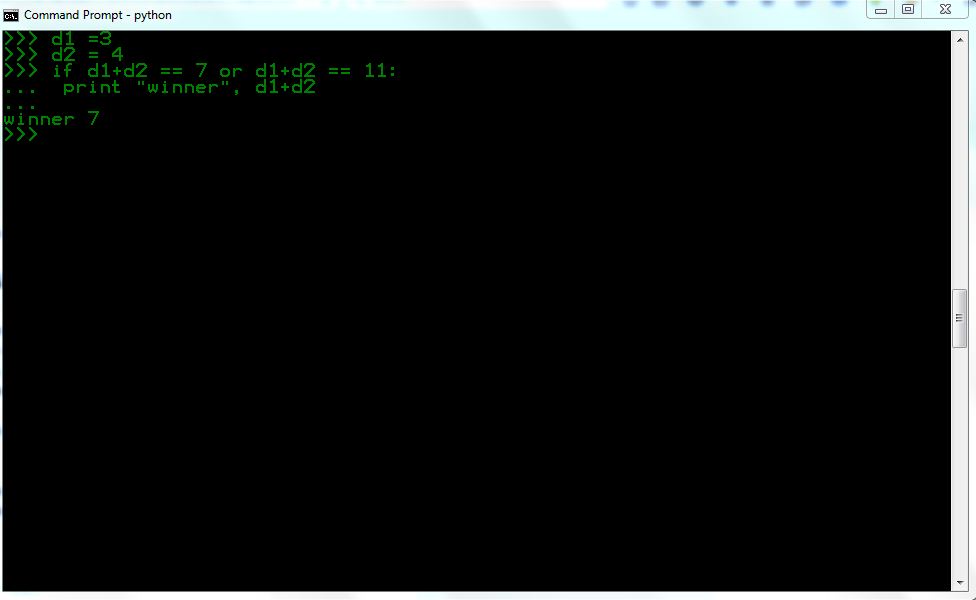
The simplest form is the if statement :
if d1+d2 == 7 or d1+d2 == 11:
print "winner", d1+d2


The boolean expression after the if statement is called the condition. If it is true, then the indented statement gets executed. If not, nothing happens.

Alternative execution:
A second form of the if statement is alternative execution, in which there are two possibilities and the condition determines which one gets executed. The syntax looks like this:
if x%2 == 0:
print x, "is even"
else:
print x, "is odd"


Chained conditionals:
Sometimes there are more than two possibilities and we need more than two branches. One way to express a computation like that is a chained conditional:
point= None
if d1+d2 == 7 or d1+d2 == 11:
print "winner"
elif d1+d2 == 2 or d1+d2 == 3 or d1+d2 == 12:
print "loser"
else:
point= d1+d2
print "point is", point

elif is an abbreviation of “else if.” Again, exactly one branch will be executed.

The return statement allows you to terminate the execution of a function before you reach the end. One reason to use it is if you  detect an error condition:
import math
def printLogarithm(x):
if x <= 0:
print "Positive numbers only, please."
return
result = math.log(x)
print "The log of x is", result


The pass Statement:
The pass statement does nothing. Use the pass statement to fill in the required suite of statements.
if n%2 == 0:
pass # Ignore even values
else:
count += 1 # Count the odd values


Keyboard input :
The programs we have written so far are a bit rude in the sense that they accept no input from the user. They just do the same thing every time.
Python provides built-in functions that get input from the keyboard. The simplest is called raw input. When this function is called, the program stops and waits for the user to type something.
#!/usr/bin/python
number = 23
guess = int(raw_input('Enter an integer : '))
if guess == number:
print 'Congratulations, you guessed it.'


If you like this post or have any question, please feel free to comment!

Loops in python !

The concept of loop is important for both programmer and hackers.
For programmer, you want to execute some code 50 times then instead of writing that code 50 times, you can do it  by writing that code only one time and repeat the execution 50 times with the help of loop.
Simply we can say, A loop allow us to execute a statement multiple times in our program.
For hacker, you want to crack Facebook password ;-) and you have a word-list of 100 passwords, you can do it by attempt manually. The other way of cracking password is by writing a loop program which simply attempt password 100 times.

The for loop : The for loop in python iterates over a sequence of objects i.e. go through each item in a sequence.for loop is used when you want to loop for a certain number of iterations. for loops start counting at a beginning value, test the value for some condition,execute the statement, and increment the value for the next iteration.

for i in range(1, 5):
         print i
else:
        print 'The for loop is over'


What we do here is supply it two numbers and range returns a sequence of numbers starting from the first number and up to the second number. For example, range(1,5) gives the sequence [1, 2, 3, 4]. By default, range takes a step count of 1. If we supply a third number to range, then that becomes the step count. For example, range(1,5,2) gives [1,3]. The for loop then iterates over this range - for i in range(1,5) is equivalent to for i in [1, 2, 3, 4]

Basically The range function has 3 forms:
range (x) generates x distinct values, from 0 to x-1, incrementing by 1.
range (x, y) generates y-x distinct values from x to y-1, incrementing by 1.
range (x, y, i) generates values from x to y-1, incrementing by i: [ x, x+i, x+2i, ... x+ki < y ]


>>> for o in range(1,36,2):
...     print o
...
1
3
5
7
9
11
13
15
17
19
21
23
25
27
29
31
33
35


Note : The Python for loop is radically different from the C/C++ for loop.
In C/C++, if you want to write for (int i = 0; i < 5; i++), then in Python you write just for i in range(0,5).


The while Statement :
if you use while loop in your program that means you want to execute a set of instructions in a loop while a condition is true. It tests the conditions before executing the loop body.
Let's understand with  a example :
number = 23
running = True
while running:
    guess = int(raw_input('Enter an integer : '))
    if guess == number:
        print 'Congratulations, you guessed it.'
    running = False # this causes the while loop to stop
    elif guess < number:
        print 'No, it is a little higher than that.'
    else:
        print 'No, it is a little lower than that.'
else:
print 'The while loop is over.'

print 'Done'


We move the raw_input and if statements to inside the while loop and set the variable running to True before the while loop.

More Iteration Control: break and continue
The break statement terminates a loop prematurely. This allows a complex condition to terminate a loop. A break statement is always found within if statements within the body of a for or while loop. A break statement is typically used when the terminating condition is too complex to write as an expression in the while clause of a loop. A break statement is also used when a for loop must be abandoned before the end of the sequence has been reached.

The continue statement skips the rest of the loop's suite. Like a break statement, a continue statements is always found within an if statement within a for or while loop. The continue statement is used instead of deeply nested else clauses.

Using the break statement
#!/usr/bin/python
# Filename: break.py
while True:
s = raw_input('Enter something : ')
if s == 'quit':
break
print 'Length of the string is', len(s)
print 'Done'


We are providing a special condition to stop the program by checking if the user input is 'quit'. We stop the program by breaking out of the loop and reach the end of the program.

The continue statement :
#!/usr/bin/python
# Filename: continue.py
while True:
s = raw_input('Enter something : ')
if s == 'quit':
break
if len(s) < 3:
continue
print 'Input is of sufficient length'

In this program, we accept input from the user, but we process them only if they are at least 3 characters long.
  
If you like this post or have any question, please feel free to comment!

Concept of dictionaries in python !

The Python dictionary data structure provides a hash table that can store any number of Python objects. The dictionary consists of pairs of items that contain a key and value. Or if i say in simple words, A dictionary is like an address-book where you can find the address or contact details of a person by knowing only his/her name i.e. we associate keys (name) with values (details). Note that the key must be unique just like you cannot find out the correct information if you have two persons with the exact same name.
A dictionary is like a list, but more general. In a list, the indices have to be integers; in a dictionary they can be (almost) any type.

Python vs. Perl: Dictionaries
A dictionary in Python is like a hash in Perl. In Perl, variables that store hashes always start with
a % character. In Python, variables can be named anything, and Python keeps track of the datatype
internally.

Python vs. Java: Dictionaries
A dictionary in Python is like an instance of the Hashtable class in Java.

Defining Dictionaries :
>>> services = {'ftp':21,'ssh':22,'smtp':25,'http':80}
>>> services
{'ftp': 21, 'smtp': 25, 'ssh': 22, 'http': 80}  


First, you create a new dictionary with four elements and assign it to the variable services. Each element is a key-value pair, and the  whole set of elements is enclosed in curly braces. Here ftp,smtp,ssh,http are keys.

Dictionary Methods :
clear(): Remove all items from the dict.
pop(key, [default]) :Remove the given key from the dict, returning the associated value.
update(new, [key=value...]): Merge values from the new new into the original dict, adding or replacing as needed.
copy(): Copy the dict to make a new dict.
get(key, [default]): Get the item with the given key, similar to ‘dict[key]’.
items():  Return all of the items in the dict as a sequence of (key,value) 2-tuples
keys(): Return all of the keys in the dict as a sequence of keys.
values(): Return all the values from the dict as a sequence.

For example , When we scanning specific TCP ports, it may prove useful to have a dictionary that contains the common service names for each port. Creating a dictionary, we can lookup a key like ftp and return the associated value 21 for that port.
>>> services = {'ftp':21,'ssh':22,'smtp':25,'http':80}
>>> services.keys()
['ftp', 'smtp', 'ssh', 'http']
>>> services.items()
[('ftp', 21), ('smtp', 25), ('ssh', 22), ('http', 80)]
>>> services.values()
[21, 25, 22, 80]
>>>


So For Get tuples of items : dict.items()
#method .items() will return an entire list of items in the dictionary.

Get list of of keys : dict.keys()
# method .keys() will return a list of all keys in the dictionary.

Get list of values : dict.values()
# method .values() will return an entire list of values in the dictionary

Note : When you add a key to a dictionary, you must also add a value for that key :
>>> services ["ssl"] = "443"
>>> services
{'ftp': 21, 'smtp': 25, 'ssh': 22, 'http': 80, 'ssl': '443'}
>>>

  
If you like this post or have any question, please feel free to comment!

Concept of Tuples in python !

So far, you have seen two compound types: strings, which are made up of characters; and lists, which are made up of elements of any type.There is another type in Python called a tuple that is similar to a list except that it is immutable. A tuple is generally applied when the number of elements is fixed by the nature of the problem.
We'll look at tuples from a number of viewpoints: operations, built-in functions and methods.

Defining a tuple :
>>>portList = ("21", "80", "443", "25")
>>> portList
('21', '80', '443', '25')
>>>


A tuple is defined in the same way as a list, except that the whole set of elements is enclosed in parentheses instead of square brackets.

The major difference between tuples and lists is that tuples can not be changed. In technical terms, tuples are immutable. They have no methods that would allow you to change them. Lists have methods like append(), extend(), insert(), remove(), and pop(). Tuples have none of these methods.

Tuple Operations :
There are three standard sequence operations (‘+’, ‘*’, ‘[]’) that can be performed with tuples as well as
other sequences.
The ‘+’ operator creates a new tuple as the concatenation of the arguments

>>> ("Hello",World) + ("This","is","tuples")
('Hello',World, 'This', 'is', 'tuples')


Tuple Built-in Functions :
The tuple() function creates a tuple out of another sequence object.
1.  len(): For tuples, this function returns the number of items.

2. max(): For tuples, this function returns the maximum item.

3. min(): For tuples, this function returns the minimum item.

4. sum(): For tuples, this function sums the individual items.

If you like this post or have any question, please feel free to comment!

List in Python !

The list data structure in Python provides an excellent method for storing arrays of objects in Python. A programmer can construct lists of any data type. This is easy to imagine if you can think of a shopping list where you have a list of items to buy, except that you probably have each item on a separate line in your shopping list whereas in Python you put commas in between them.

Python vs. Perl: lists
A list in Python is like an array in Perl. In Perl, variables that store arrays always start with the @ character; in Python, variables can be named anything, and Python keeps track of the datatype internally.

Python vs. Java: lists
A list in Python is much more than an array in Java.

Lists are similar to strings, which are ordered sets of characters, except that the elements of a list can have any type.

Creating List :
There are several ways to create a new list; the simplest is to enclose the elements
in square brackets ([ and ]):

>>> test = ["a", "b", "hello", "z", "world"]
>>> test
['a', 'b', 'hello', 'z', 'world']
>>> test[0]
'a'
>>> test[4]
'world'


List Operations :
The three standard sequence operations (‘+’, ‘*’, ‘[]’) can be performed with list, as well as other sequences like tuple and string.
The ‘+’ operator creates a new list as the concatenation of the arguments.
>>> a = [1, 2, 3]
>>> b = [4, 5, 6]
>>> c = a + b
>>> print c
[1, 2, 3, 4, 5, 6]

Similarly, the * operator repeats a list a given number of times:
>>> [0] * 4
[0, 0, 0, 0]
>>> [1, 2, 3] * 3
[1, 2, 3, 1, 2, 3, 1, 2, 3]


List Built-in Functions :
1.  len(): For lists, this function returns the number of items.
2. max(): For lists, this function returns the maximum item.
3. sorted():Iterate through the list in sorted order.
4. reversed(): Iterate through the list in reverse order.

List Methods :
A list object has a number of member methods.  These can be grouped arbitrarily into transformations, which change the list, and information, which returns a fact about a list.

The  list transformation functions update a list object like :
append(object): Update list by appending object to end of the list.
extend(list) : Extend list by appending list elements.
insert(index, object): Update list l by inserting object before position index.
pop([index=-1]):Remove and return item at index
remove(value) :Remove first occurrence of value from list.
reverse() : Reverse the items of the list.
sort([key], [reverse=False]) : Sort the items of the list.

For example :
>>> portList = []
>>> portList.append(21)
>>> portList.append(80)
>>> portList.append(443)
>>> portList.append(25)
>>> print portList
[21, 80, 443, 25]
>>> portList.sort()
>>> print portList
[21, 25, 80, 443]
>>> portList.pop(2)
80
>>> print portList
[21, 25, 443]


Lists are mutable : Unlike strings, lists are mutable, which means we can change their elements. Using the bracket operator on the left side of an assignment, we can update one of the elements:
>>> fruit = ["banana", "apple", "quince"]
>>> fruit[0] = "pear"
>>> fruit[-1] = "orange"
>>> print fruit
[’pear’, ’apple’, ’orange’]


If you like this post or have any question, please feel free to comment!

Concept of string in python!

We’ll look at the two string classes from a number of viewpoints:  String slices , String methods, String Formatting.

A string is a sequence of characters. You can access the characters one at a time with the bracket operator:

>>> fruit = 'Mango'
>>> letter = fruit[1]

The second statement selects character number 1 from fruit and assigns it to letter.
>>> print letter
a

Surprised ?  you might not get what you expect.
For most people, the first letter of 'Mango' is M, not a. But for computer scientists, the index is an offset  from the beginning of the string, and the offset of the first letter is zero.


String slices : A segment of a string is called a slice. Selecting a slice is similar to selecting a character.
Let's have a example :

>>> s = 'Monty Python'
>>> print s[0:5]
Monty
>>> print s[6:12]
Python


If you omit the first index (before the colon), the slice starts at the beginning of the string. If you omit the second index, the slice goes to the end of the string:

>>> fruit = 'banana'
>>> fruit[:3]
'ban'
>>> fruit[3:]
'ana'


String methods :
A method is similar to a function—it takes arguments and returns a value—but the syntax is different.
The Python string module provides a very robust series of methods for strings. for the entire list of
available methods, read at  http://docs.python.org/library/string.html
But we will examine  few useful methods like :
string.find()
string.replace()
string.split()

For example :
>>> name = "Rohit Saxsena"
>>> name.find('hit')
2
>>> name.replace('Rohit','Rohi')
'Rohi Saxsena'
>>> name.split()
['Rohit', 'Saxsena']
>>> name.split('a')
['Rohit S', 'xsen', '']
>>>


String Formatting :
Python supports formatting values into strings. String formatting in Python uses the same syntax as the sprintf function in C.
Introducing String Formatting :
>>> a= "Hello"
>>> b= "World"
>>> "%s=%s" %(a,b)
'Hello=World'
>>>


The whole expression evaluates to a string. The first %s is replaced by the value of  a; the second %s
is replaced by the value of  b.

If you like this post or have any question, please feel free to comment!

Hello world in python !

As we have discussed, Python is the language of choice for hackers and security analysts for creating powerful and effective tools.it is most used language for exploit writing.In Programming :  Ethical Hacker way blog you'll find complete tutorials for learning python in hacker way.So let's start.

There is a tradition that whenever you learn a new programming language, the first program that you write and run is the 'Hello World' program. So before we start complex program, we will start with simple "Hello world" program.

Using the python interpreter prompt :
C:\Users\Root>python
Python 2.7 (r27:82525, Jul  4 2010, 09:01:59) [MSC v.1500 32 bit (Intel)] on win32
Type "help", "copyright", "credits" or "license" for more information.
>>> print 'Hello World'
Hello World
>>>


We use print to  print any value that you supply to it. Here, we are supplying the text Hello World and this is promptly printed to the screen.

Using a Source File(Kali-Linux) :
#!/usr/bin/python
#Filename : helloworld.py
print 'Hello World'
Run this program by opening a shell (DOS prompt for windows user) and entering the command :
python helloworld.py

Executable Python programs :
This applies only to Linux/Unix users but Windows users use py2exe to make it Executable. First, we have to give the program executable permission using the chmod command then run the source program.
$ chmod a+x helloworld.py
$./helloworld.py
Hello World

If you like this post or have any question, please feel free to comment!

Why python is favourite of Hackers ?

I learned Python specifically for hacking and  I first started with Python.when I needed to write an script which was not available on internet.  I had to choose between Python and Perl  Because Perl is another extremely popular open source interpreted programming language. When i did search on Google, Then i  comes to know that Python is becoming the  natural leader in the hacking- programming language department. That's main reason why Python has become my favorite programming language. When compared to Perl, Python programs are definitely simpler, clearer, easier to write and hence more understandable and maintainable.
If you are interested in tinkering with information security tasks, Python is a great language to learn because of the large number of reverse engineering and exploitation libraries available for your use.


Why Python ?
Without developing some basic scripting skills, the aspiring hacker will be condemned to the realm of the script kiddie. This means that you will be limited to using tools developed by someone else, which decrease  your probability of success and increases your probability of detection by antivirus (AV) software, intrusion detection systems (IDS), and law enforcement. With some scripting skills, you can elevate to the upper echelon of professional hackers.
Python has some important features that make it particularly useful for hacking,but probably most importantly, it has some pre-built libraries that provide some powerful functionality. Python ships with over 1,000 modules and many more are available in various other repositories.

So python is:
Simple. Simple is better than complex and Complex is better than complicated.
Can claim to be both simple and powerful.
Free and Open Source and High-level Language.
Object Oriented and Interpreted.
Rich set of libraries.

A Short History : Guido van Rossum is the creator of the Python language and i think he works for Google
now. Python 2.x was released in 2000 and  Python 3.x (Not backward compatible) was released in 2008.  I will recommend 2.x because most tools and libraries do not support 3.x .

Multiple OS Support :
Python Supports various Operating system like Unix/Linux,Mac OS X,Windows,Android,Embedded system etc. Python is preloaded in most Linux systems but in case of windows, you have to install it !

For Windows Users :
Go to python home page and download latest version. The installation is just like any other Windows-based
software.

Using Python in the Windows command line:
If you want to be able to use Python from the Windows command line, then you need to set the PATH variable appropriately.
For window 7, go to Control Panel\System and Security\System\Advanced system setting\Environment Variables. Click on the variable named PATH in the 'System Variables' section, then select
Edit and add ";C:\Python27"(without quotes) to the end of what is already there.

Where to Learn python?
Python is the language of choice for hackers and security analysts for creating powerful and effective tools.it is most used language for exploit writing. In Programming :Ethical Hacker way blog you'll find complete tutorials for learning python in hacker way.So keep visiting.

If you like this post or have any question, please feel free to comment!
Blogger Widget